The Digital Sticky Note
Designing UI for seamless multitasking and referencing
Role
Product Experience Designer
Team
Lead UX Designer
Product Manager
Software Engineer
Company
Annexus Health
Context
Financial counselors responsible for processing patient applications handle intense workloads of patients on a day to day basis. On a given work day, counselors can work on hundreds of patients, process several reports, and perform a large number of tasks related to the patients. My goal was to centralize their workspace and add tools to enhance the counselors’ workflows.
Problem
Disjointed Workflow
Financial counselors experience high friction due to constant context switching between their digital work screen and physical sticky notes.
Cognitive Load
The lack of a streamlined tracking system forces users to rely on memory for critical data, leading to high probability of errors.
High Security Risk
Reliance on physical sticky notes exposes important records in public view, creating security vulnerabilities and threatening compliance and privacy regulations.
User interviews revealed a disjointed workflow. Financial counselors were using physical sticky notes to keep track of patient names, top reports, and tasks, which would pose as a high security risk as well as create significant cognitive load. The platform required a persistent tracking tool to not only replace the physical sticky notes but also improve its function.
Research & Discovery
User Interviews
In-depth interviews highlighted the workflow fragmentation, which uncovered a critical need for a tracking system tool to streamline and progress the financial counselor’s workflow.
Session Replays
Hotjar shadow sessions revealed a hidden friction point: frequent periods of inactivity on screen during certain stages of the user’s workflow. Further studies revealed that users worked off screen to gather information needed to progress.
Competitive Audit
Due to the task-heavy nature of this workflow process, we analyzed different task management systems to identify patterns in informational hierarchy and data centralization that streamlined a user’s multi-step task completion process.
Usability Testing
Each prototype was presented to a sample of users and internal stakeholders for testing and feedback. Through much iteration and multiple rounds of feedback, we refined and polished the prototype to to meet user needs as well as meet technical requirements after dev collaboration.
Solution
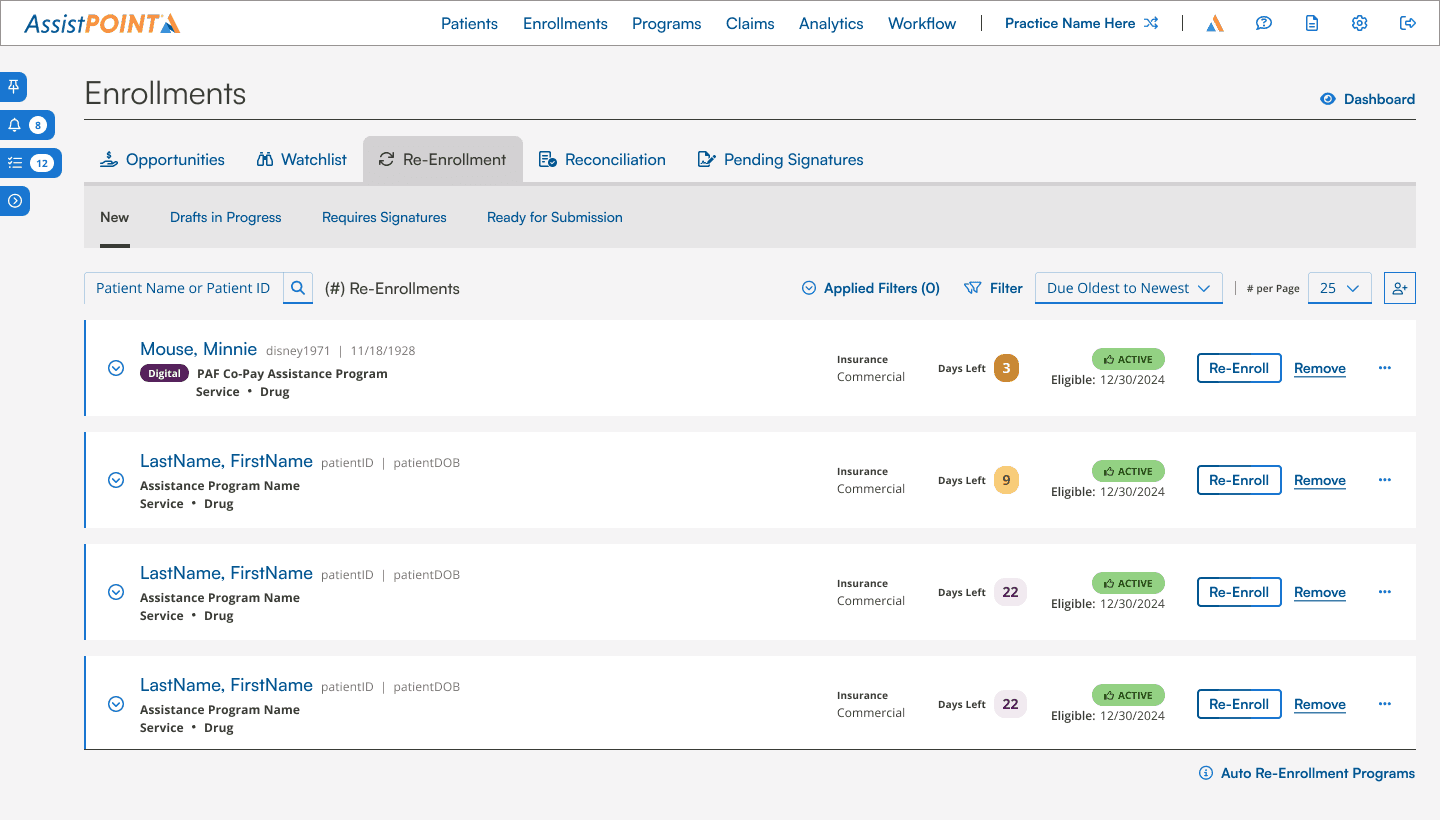
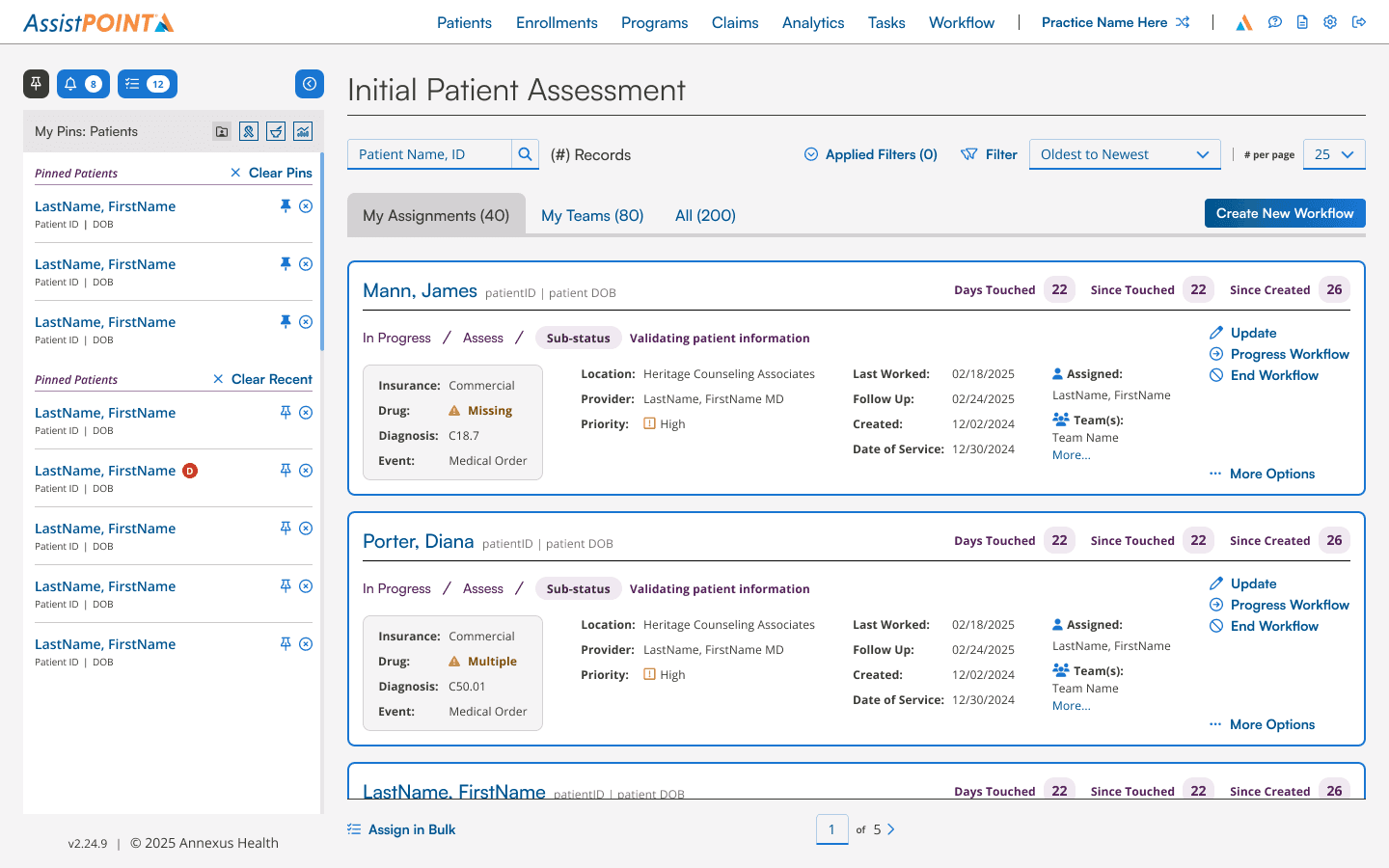
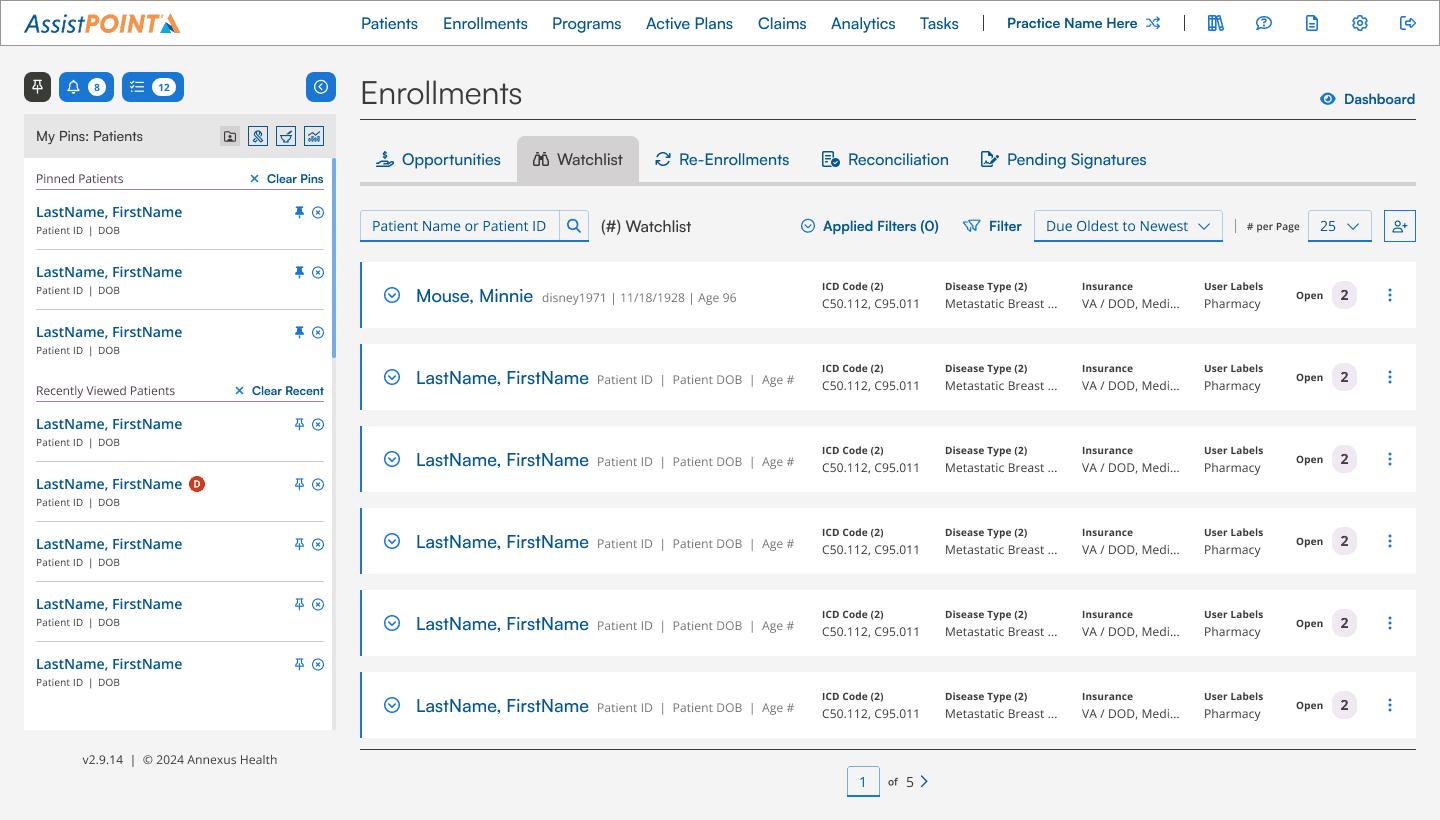
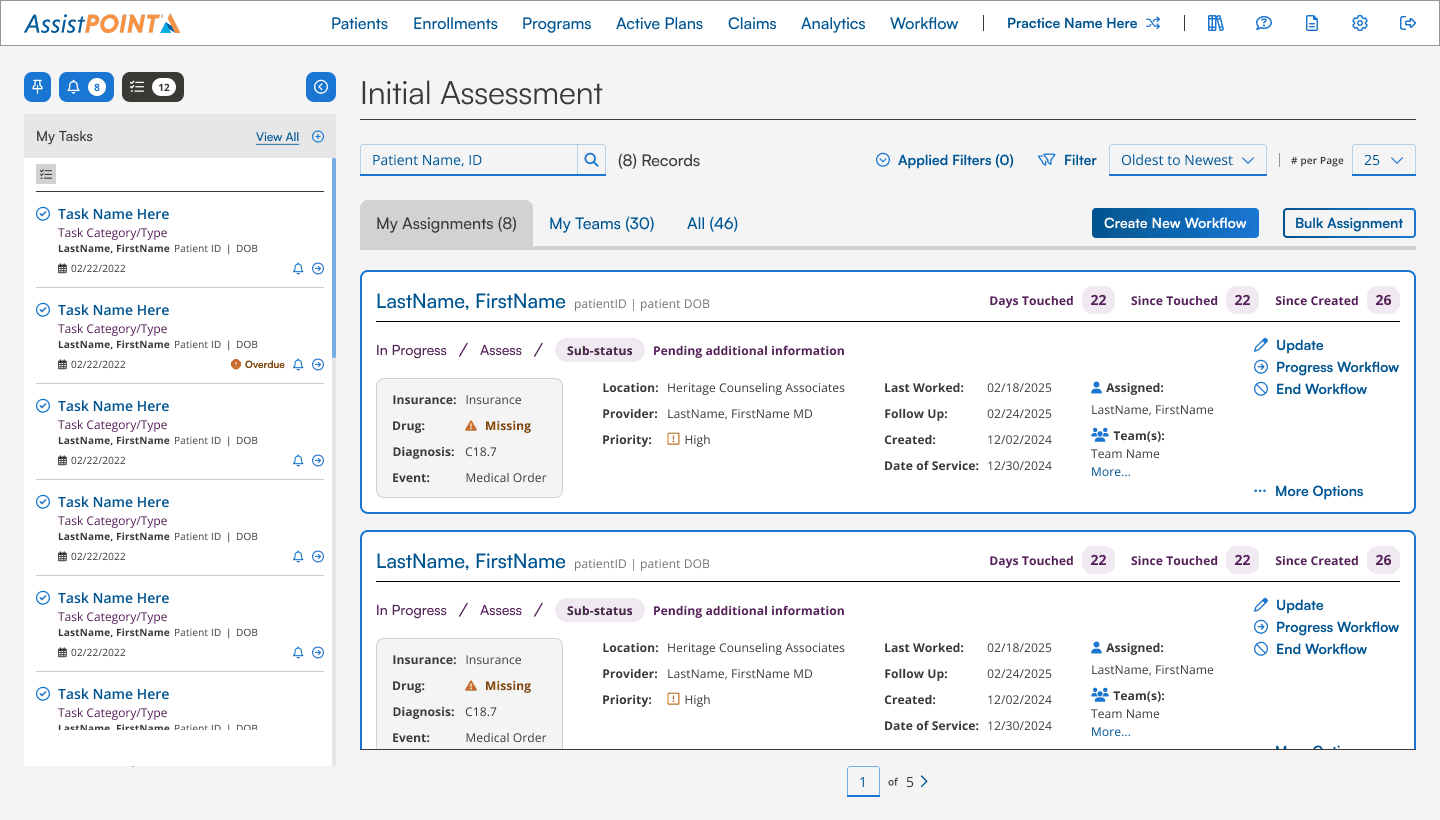
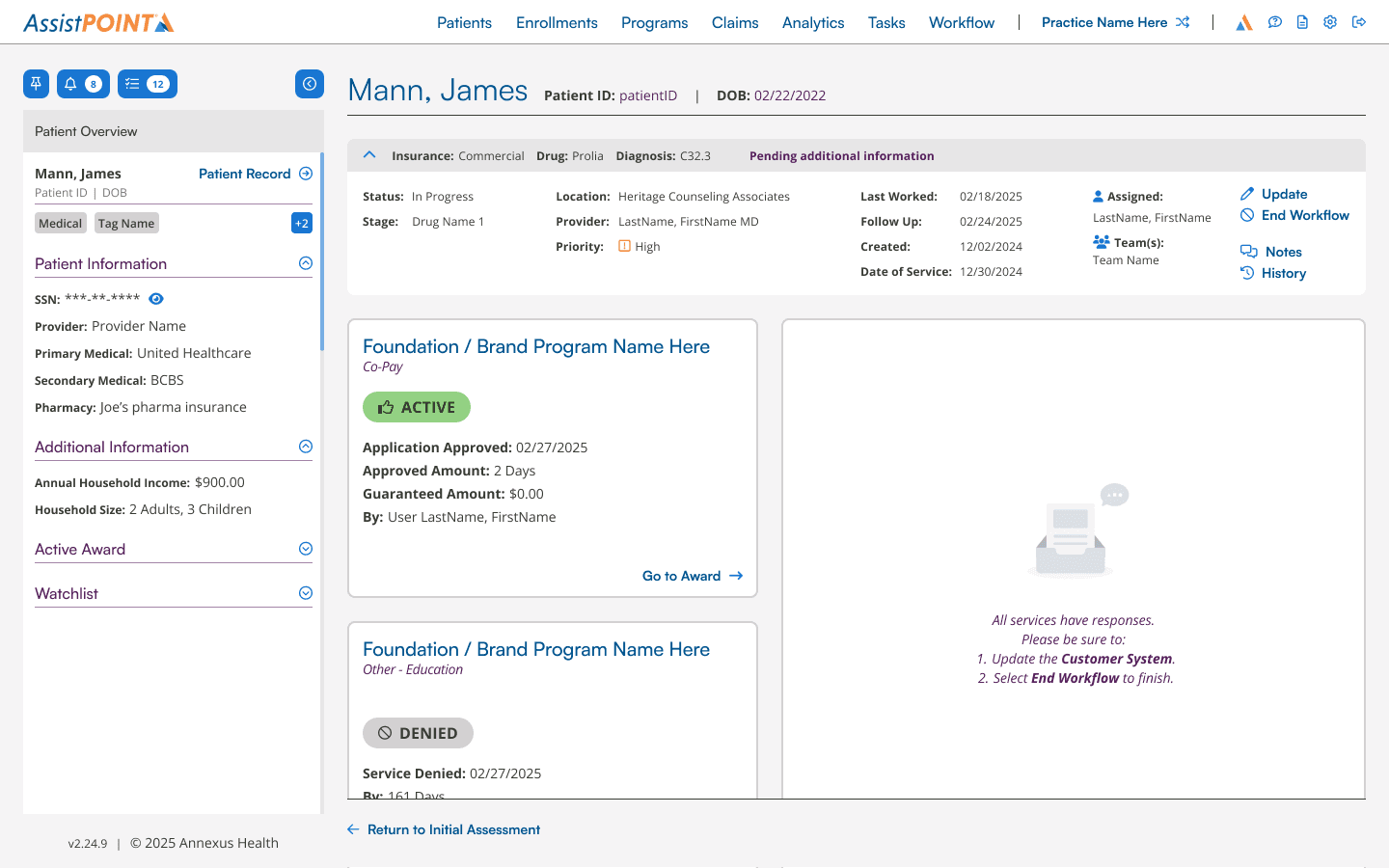
We designed a persistent, dynamic sidebar to act as a mini-digital workspace. By allowing the user to “pin” or “bookmark” patients and reports from a recently viewed history as well as view assigned tasks, alerts, and specific patient overview information, we eliminated the need for physical sticky notes and reduced the context switching friction.
Final Designs
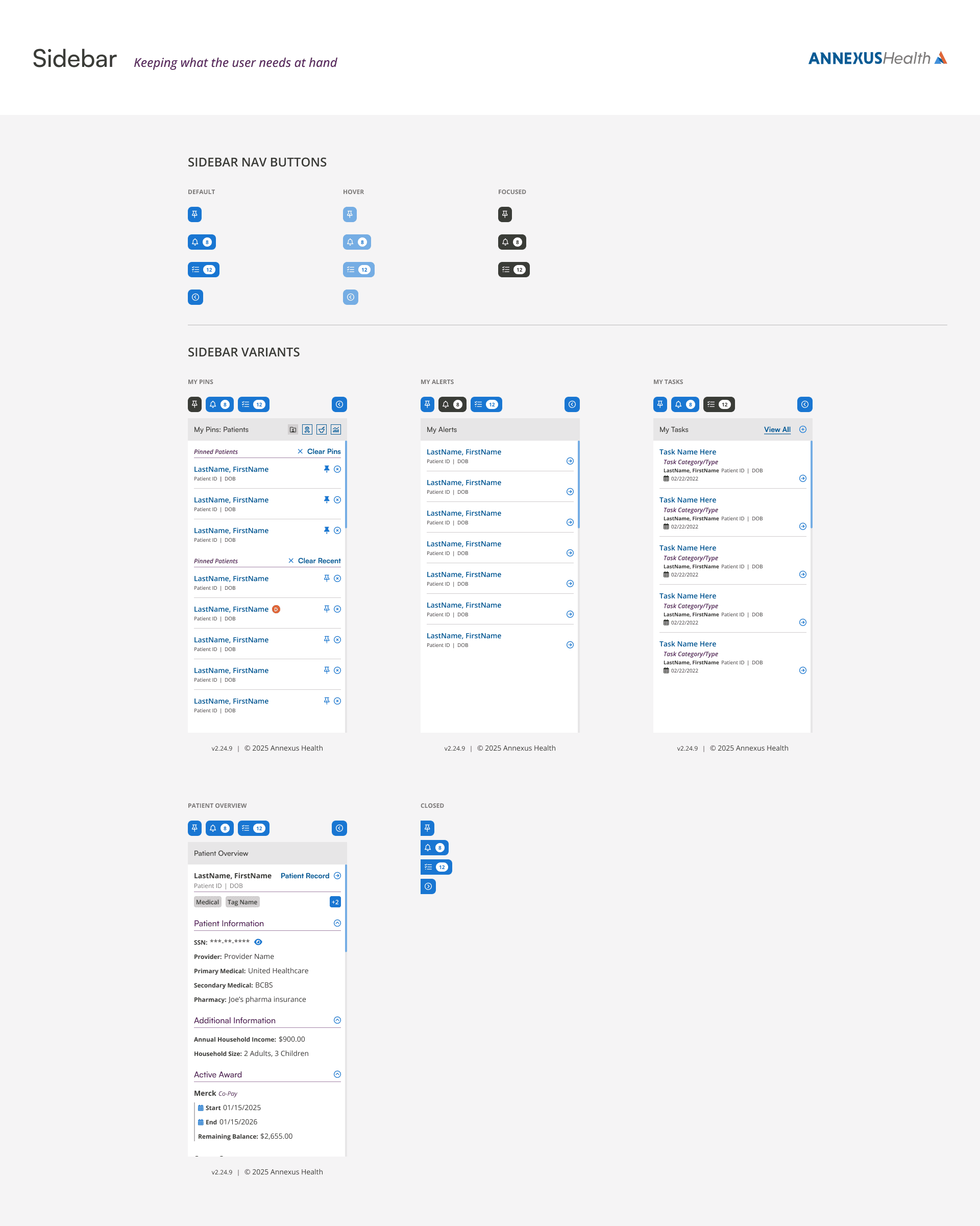
Ability to view history and pin patients, drugs, foundations, and reports
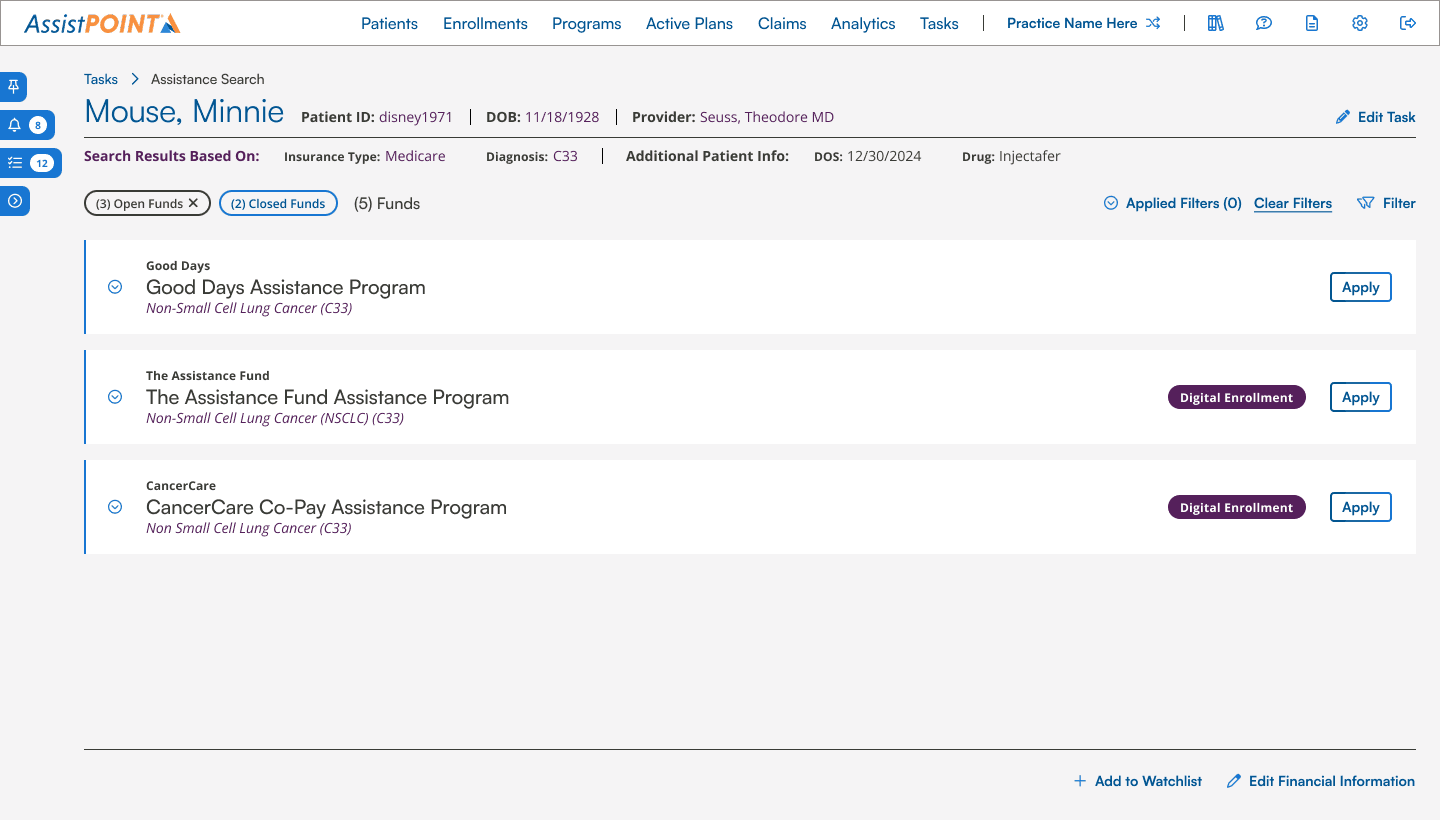
Closed side panel
Tasking side panel
Patient overview
More Works
arrow-down